Post-Purchase Offers
Make post purchase profitable on Shopify
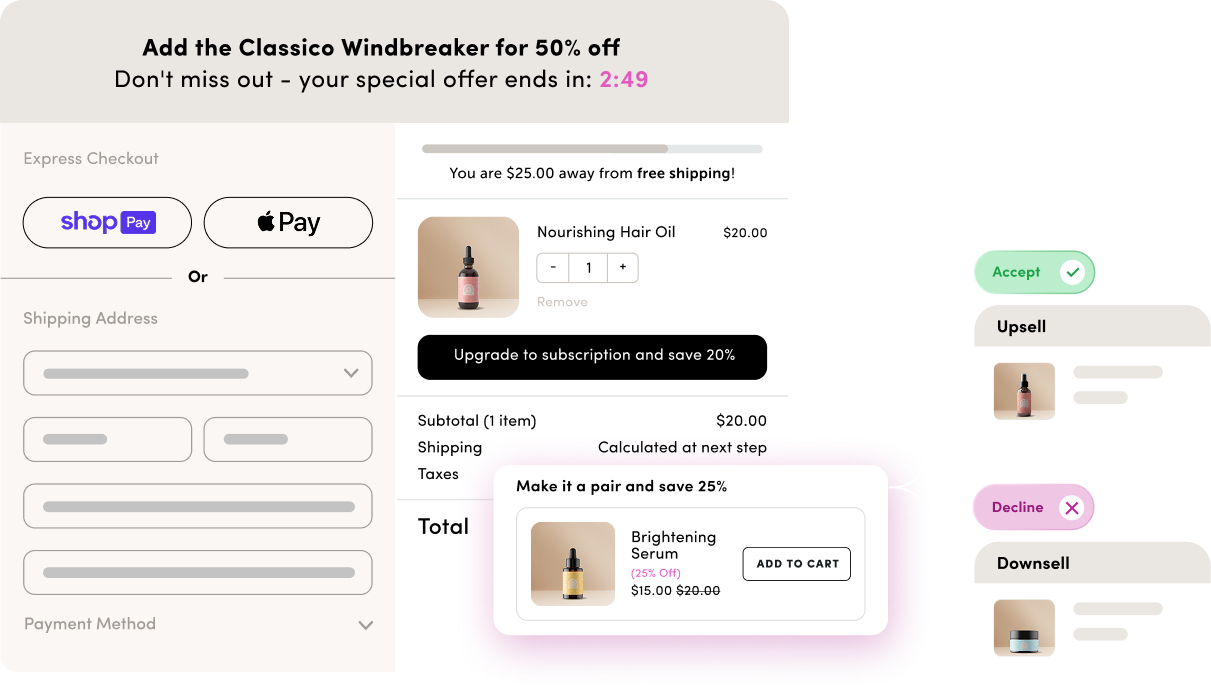
Capture customer attention at its peak with one-click post-purchase offers that boost AOV without interrupting the buying experience.

-
![Post Purchase one-click]()
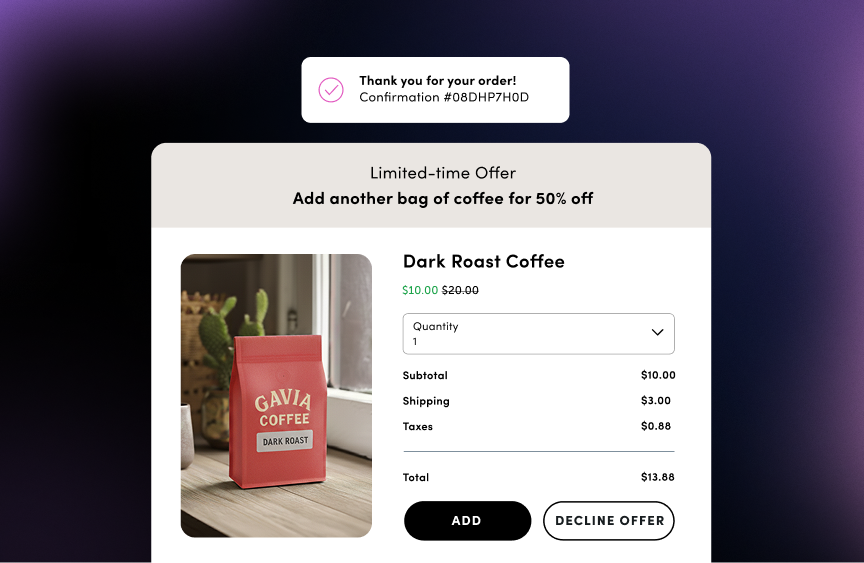
One click, no friction
Customers can easily add products to their order without re-entering payment information. Your offer appears between checkout and thank you page, keeping the experience seamless and the buying momentum going.
-
![Post Purchase upsells]()
Upsells, downsells, extra revenue
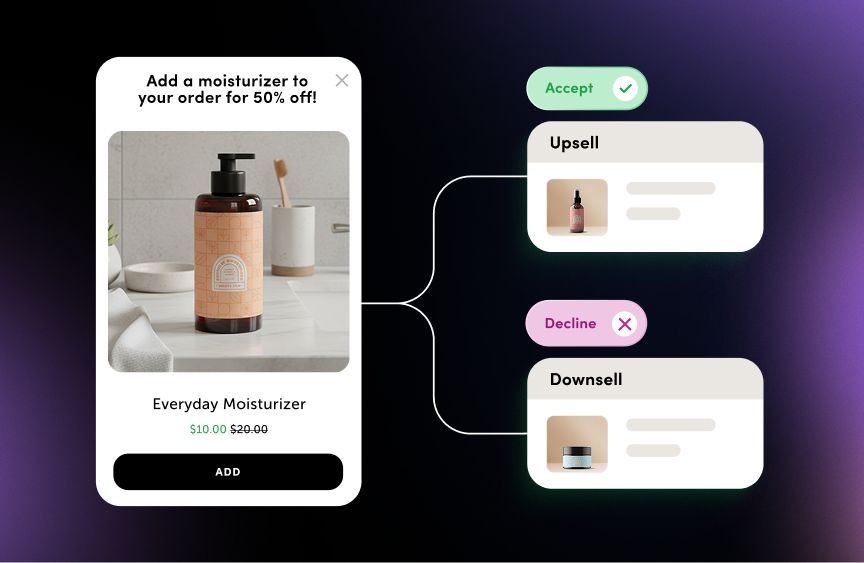
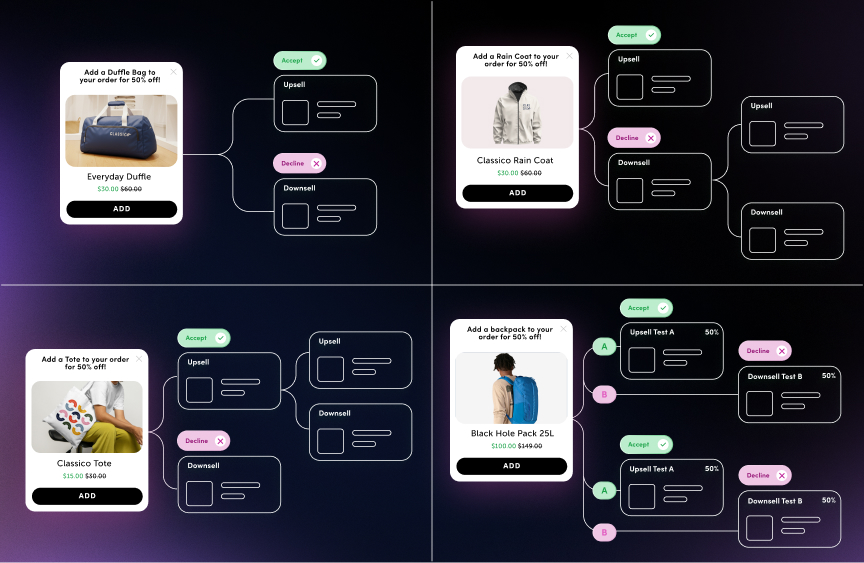
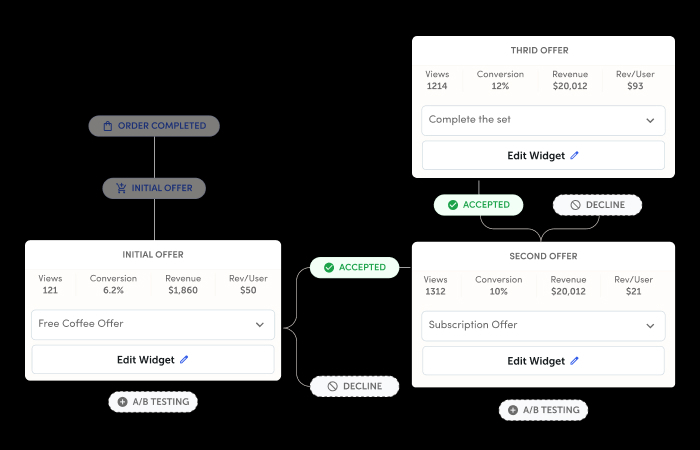
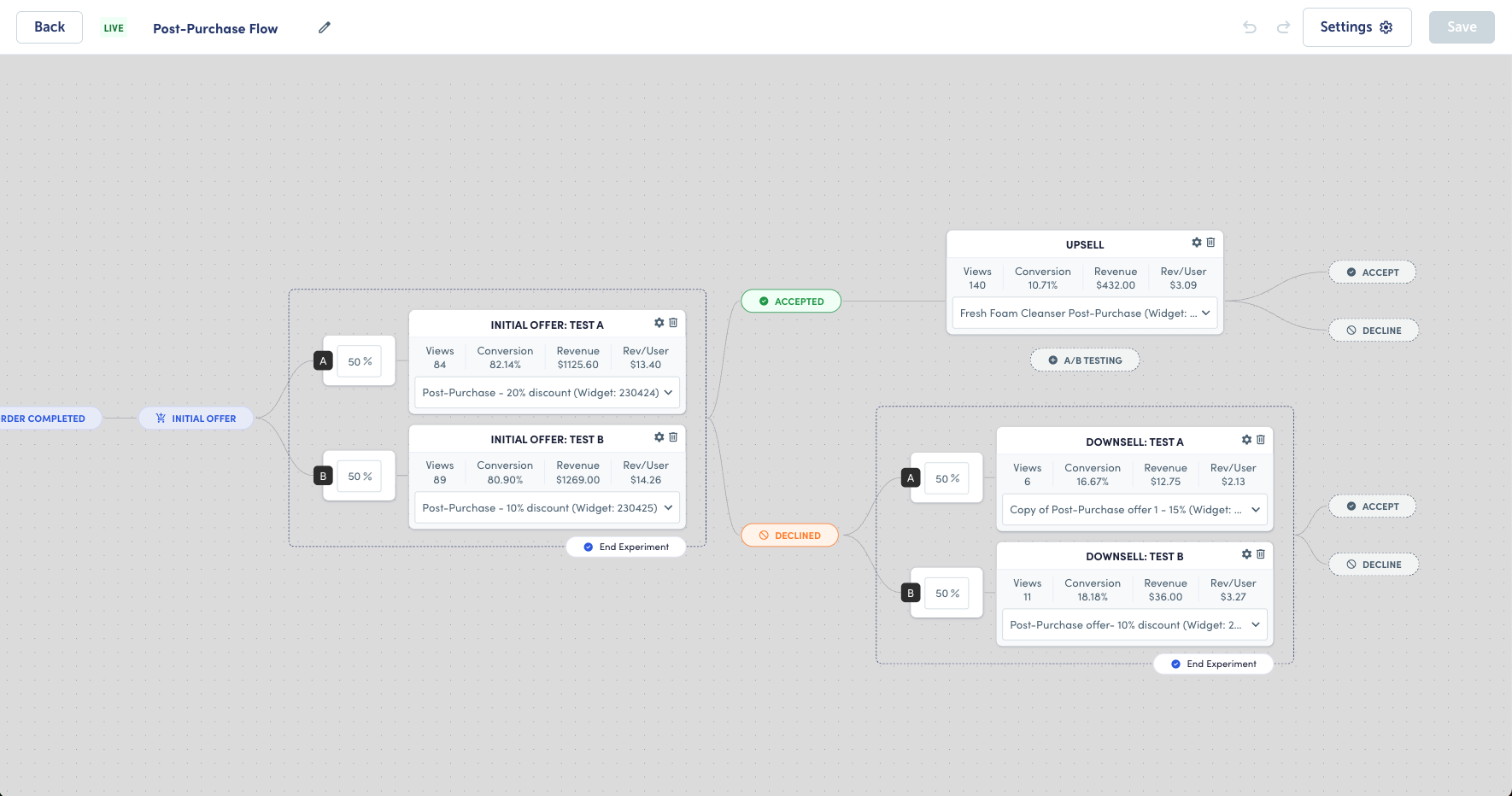
Build multi-step flows that respond to customer behavior. If they accept an offer, offer them more. If they decline, show them something different. You control the logic, Rebuy handles the rest.
-
![post-purchase-dynamic-discounts]()
Dynamic discounts and limited-time offers
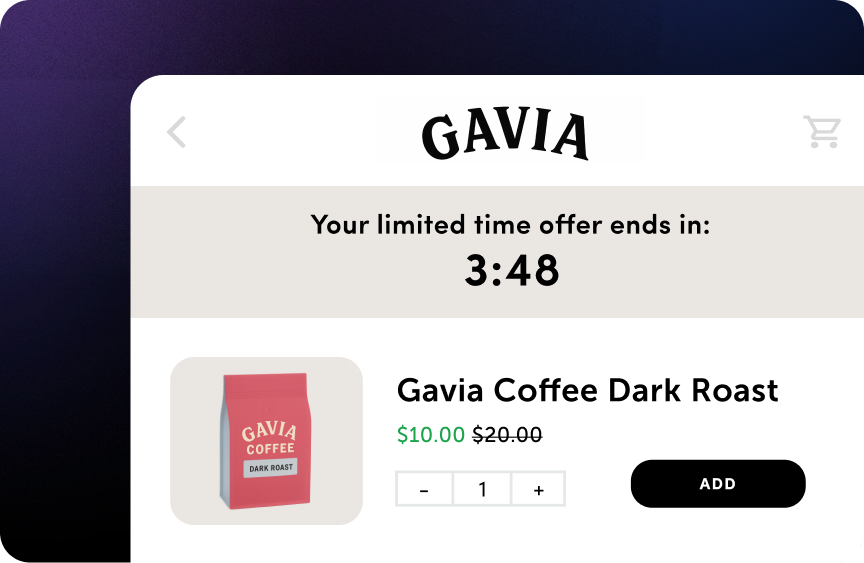
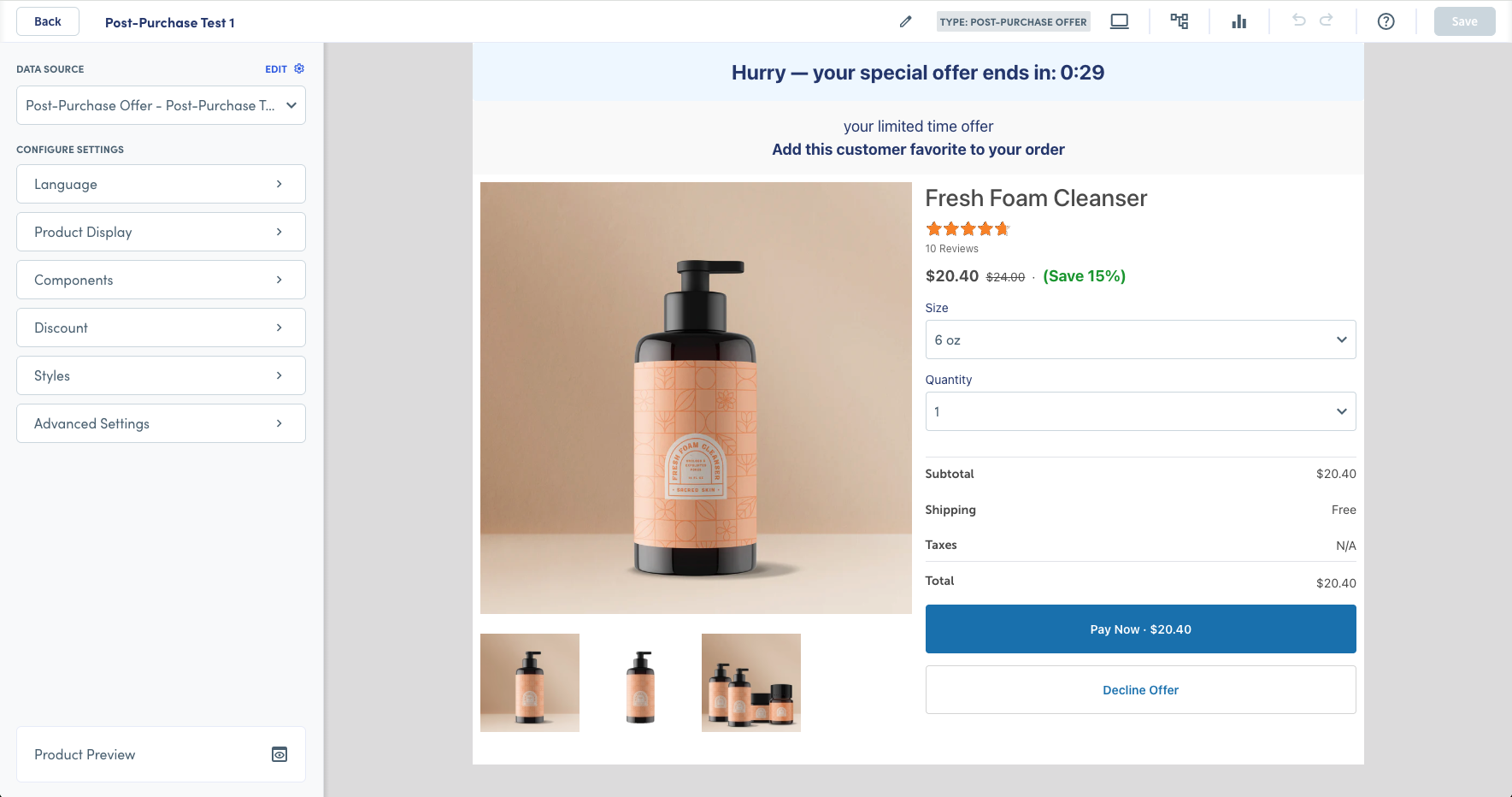
Add urgency with countdown timers and limited-time pricing. Update or remove discounts with a single click using Rebuy's discount engine. Create scarcity that converts without the manual work.
-
![Multi-step post purchase flows for Shopify]()
Build multi-step flows
Run up to 40 flows at once, each with its own upsell and downsell logic. Customers who decline see a different offer. Customers who accept can keep adding up to three offers per checkout.
Post-Purchase Offers features
Built to capture revenue after every sale
Everything you need to turn the moment after checkout into your most profitable touchpoint.
-
![AI offer targeting]()
Target the right customers
AI and rules-based offer targeting
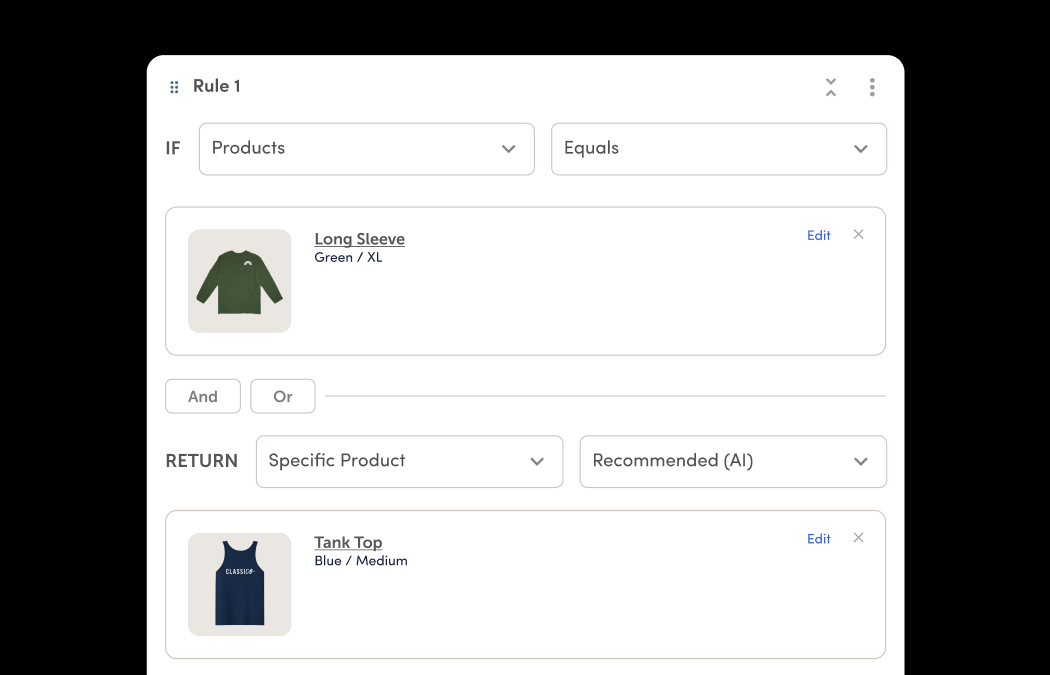
Show offers that are relevant for each shopper. Rebuy AI uses real purchase behavior to recommend complementary products, while rules give you precise control over targeting by segment, order value, items purchased, and more.
-
![Flows creation UI screenshot]()
Prioritize and sequence your flows
Up to 40 simultaneous flows
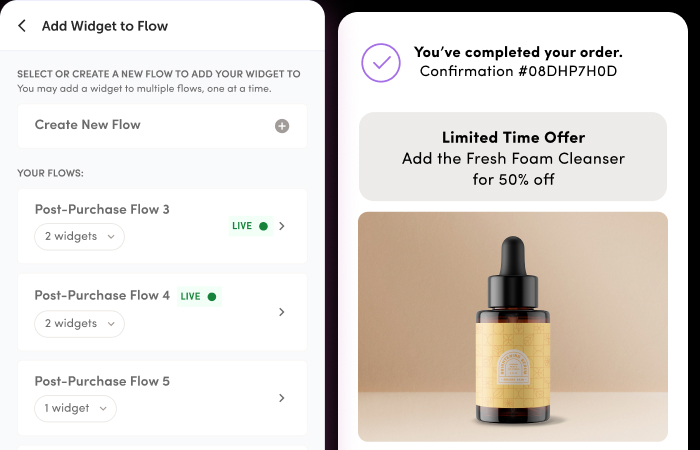
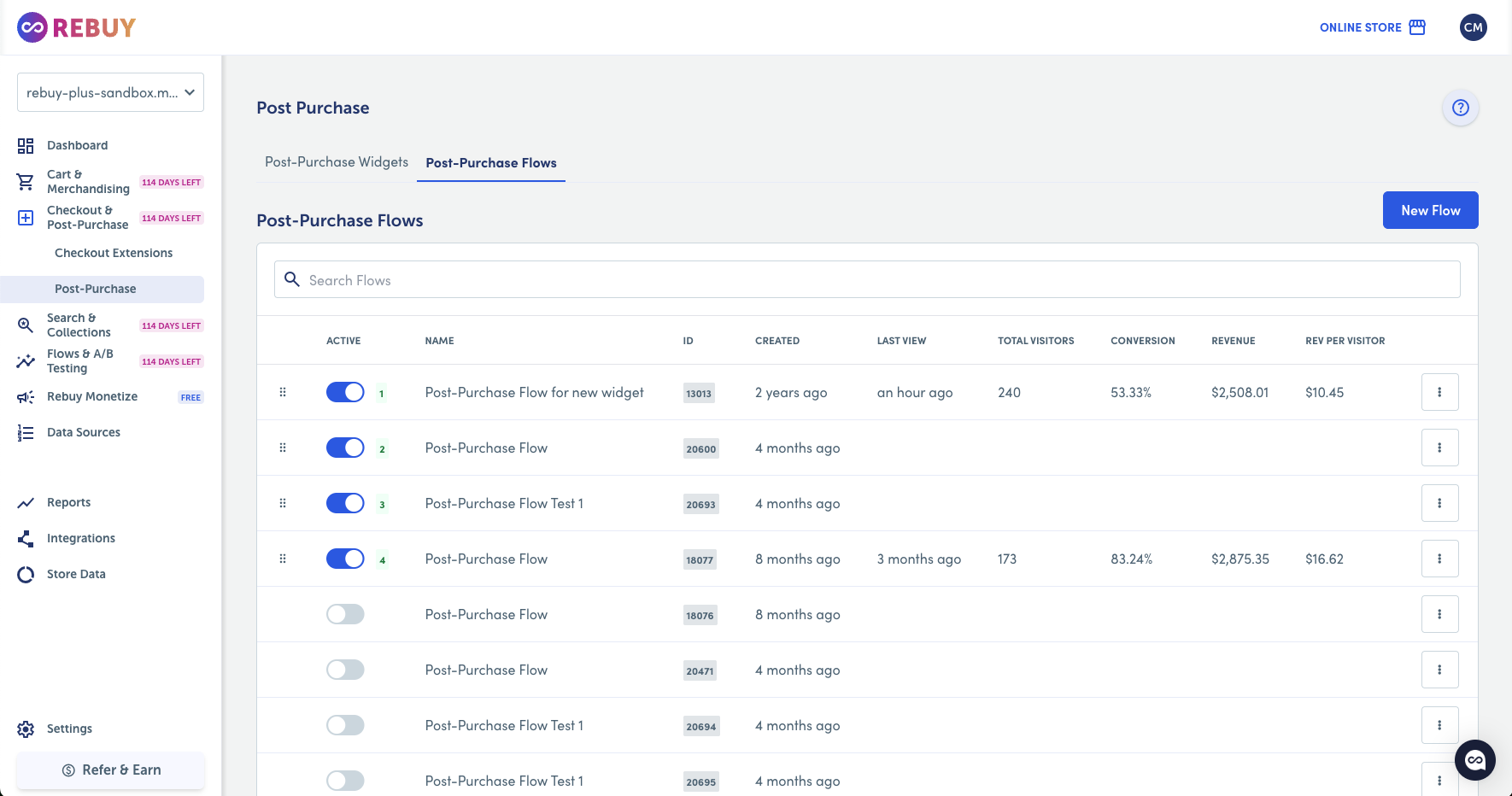
Run multiple post-purchase strategies at once without losing control. Create up to 40 flows targeting different behaviors or order types, then prioritize them in a clear sequence. The first matching flow is shown, so every shopper gets the most relevant experience.
-
![post-purchase-revenue-attribution]()
Built-in analytics
Revenue attribution and reporting
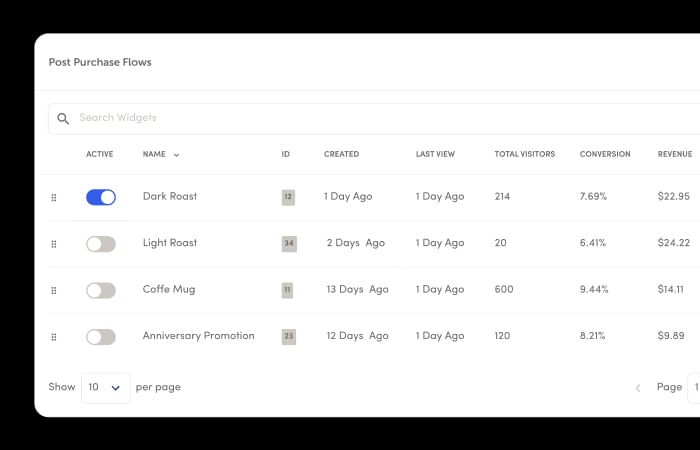
Understand what’s driving performance across every offer. Track revenue per order, conversion rate, total sales, total visitors, and more. With a clear view of how shoppers engage and convert, you can build on what’s working and continuously improve your results.
-
![Discount promos UI screen]()
Discount engine
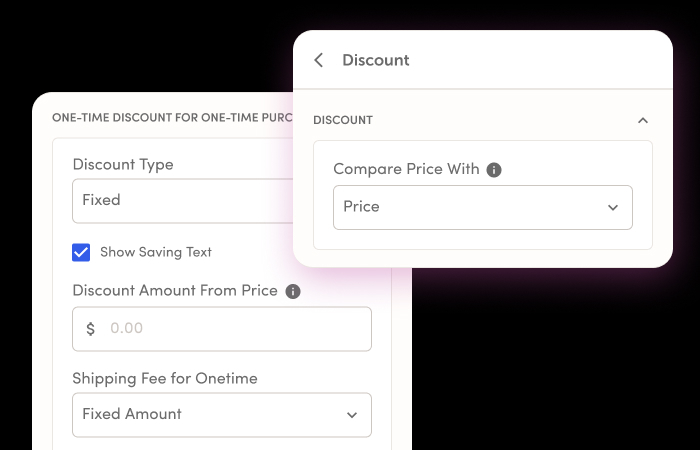
Flexible discount controls
Adjust offers quickly without relying on developers. Apply percentage discounts or fixed amounts, and display comparison pricing in a few clicks. For subscriptions, discounts apply automatically to the first order, making it easy to present a compelling offer.
-
![Shopify order tracking UI]()
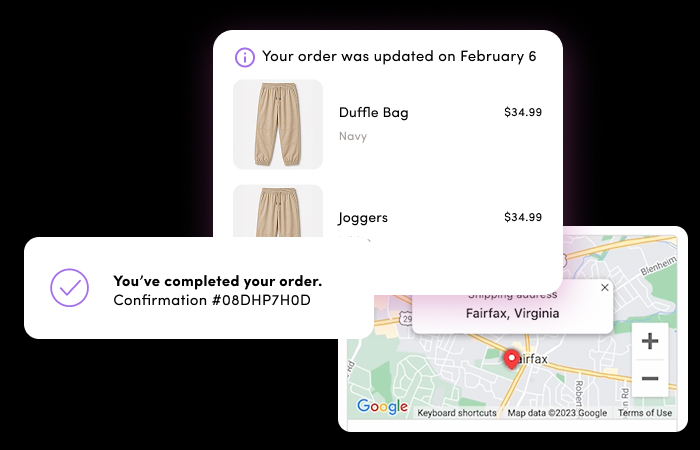
No-code setup, no duplicate orders
Seamless Shopify integration
Get up and running fast, without added complexity. Rebuy integrates directly with Shopify and updates the original order when an offer is accepted. No duplicate orders, no extra checkout steps, and no need for customers to re-enter payment details.
-
![Post Purchase reviews UI]()
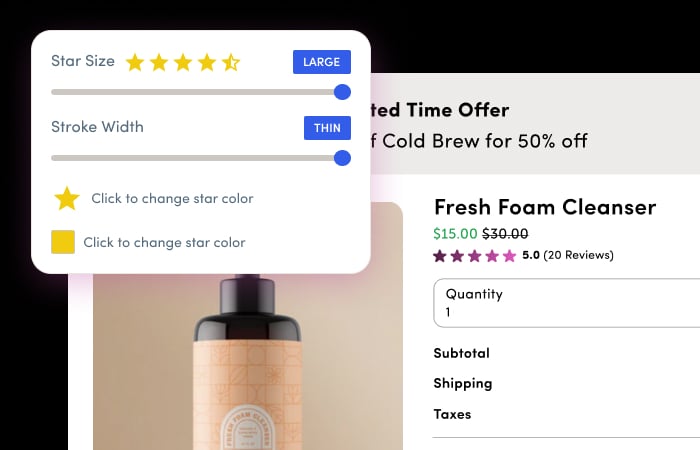
Ratings and reviews display
Build trust in the moment
Reinforce every offer with social proof. Pull in star ratings from your reviews app via a native integration and display them directly on the post purchase page. You can also add testimonials, images, or supporting content below the offer to show products in action and strengthen credibility.
-
![Post purchase translation UI screen]()
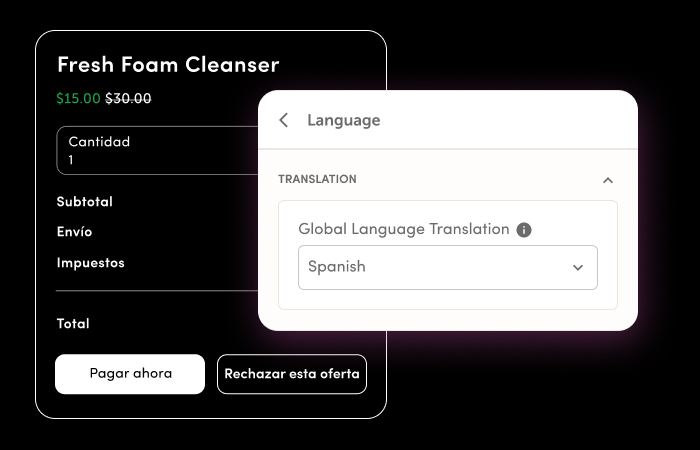
Customizable offer display
Localized language support
Talk to customers in their language. Update offer copy directly in widget settings using the language selector. If you need additional support, the Rebuy team can help add new languages so your experience feels right for every audience.
-
![Post-Purchase flow UI screen]()
Multi-offer acceptance
Increase order value post-purchase
Give customers more ways to say yes. Shoppers can accept up to three post-purchase offers in a single flow, making it easy to add complementary products while intent is high. Each accepted offer builds on the last, increasing order value and driving more revenue from every purchase.
-
![Post Purchase timers feature]()
Flexible fulfillment timing
Control when orders are released
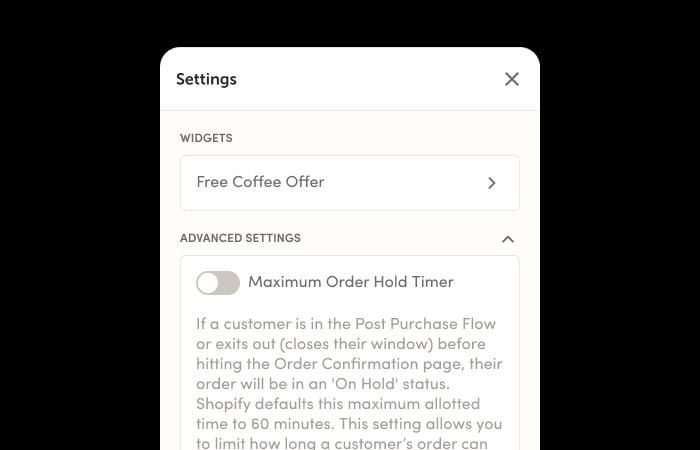
Balance speed with flexibility. Set a hold window that determines how long an order stays open for post-purchase offers before fulfillment begins. You stay in control of timing, so you can capture additional revenue without disrupting your fulfillment workflow.
Shopify’s best brands use Post-Purchase

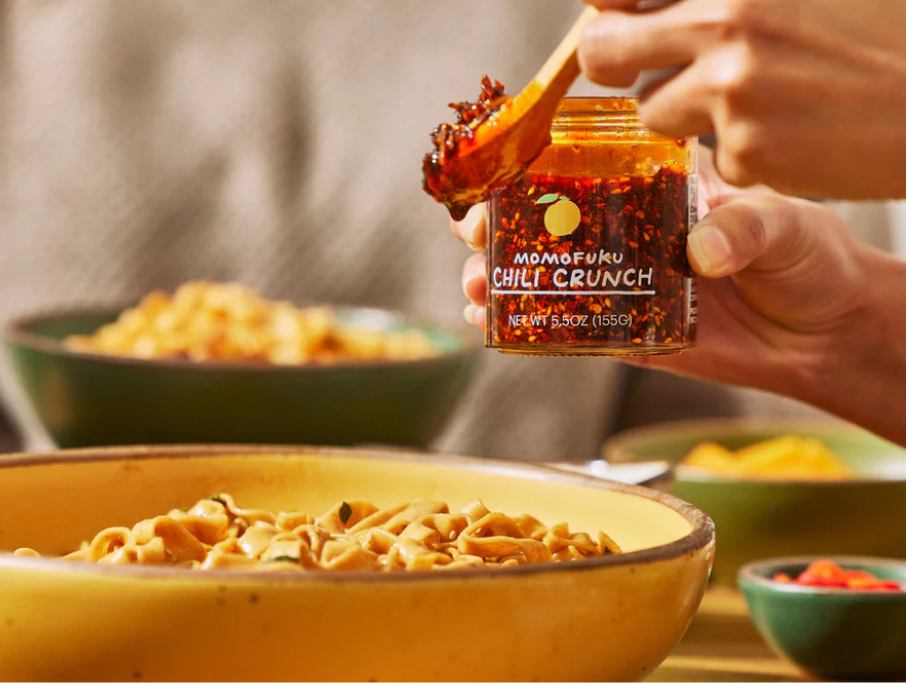
Momofuku Case Study


Feals Case Study

How it works
-
01 Build
Create your post-purchase widget and customize the offer, discounts, and display settings. No code required.
-
02 Launch
Set up your flow, assign widgets to upsell and downsell paths, and enable Rebuy as your post-purchase provider in Shopify.
-
03 Optimize
A/B test different offers, track performance with built-in analytics, and let automatic winner selection boost your AOV.
