Post-Purchase Offers

One-click post-purchase upsells for Shopify

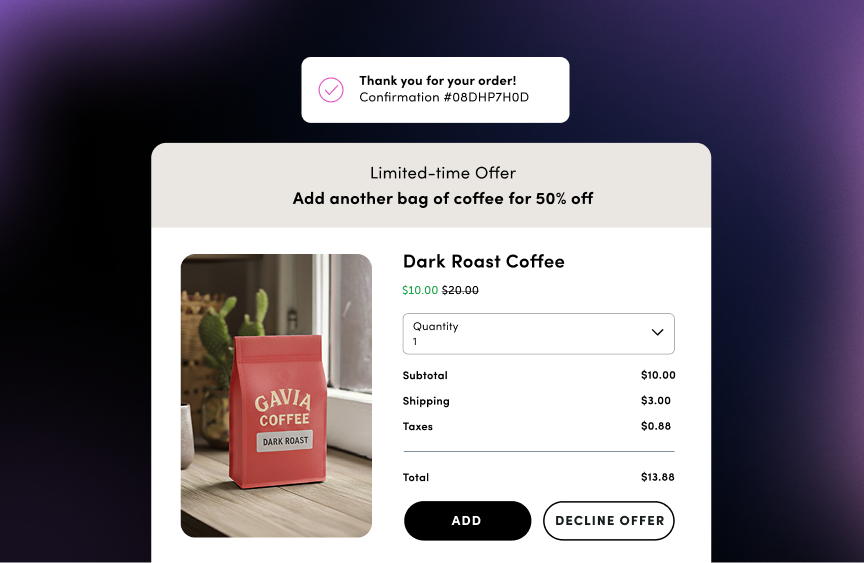
Rebuy Post-Purchase Offers shows shoppers a one-click upsell after they pay and before the Thank You page. An accepted offer joins the order they just placed, so there's no second checkout and no risk to your conversion rate.


4.7

overall rating on Shopify

$3.8B+ in new revenue for merchants

A one-click post-purchase offer adds a discounted chocolate bar to the same order, and the order total goes from $20.00 to $29.60 with no second checkout

Why upsell after checkout?

Right after payment, a shopper's card is on file, their order is confirmed, and they're still excited about what they bought. That's the easiest moment to say yes to one more thing. And because the sale is already done, a post-purchase offer can't cost you the original order.

  • Increase AOV without risk

    Post-purchase offers appear after checkout, so they never interfere with the original sale. More revenue, same conversion rate.

  • Personalize every offer

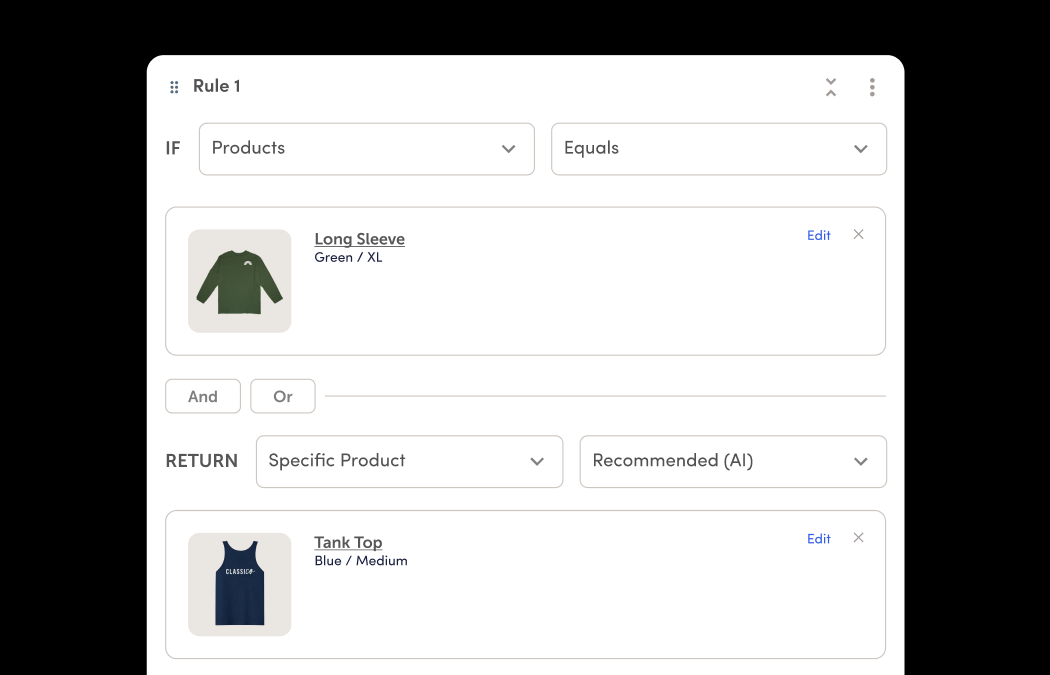
    Use Rebuy AI or custom rules to serve the right offer to the right customer based on what’s in their order, their purchase history, or customer segment.

  • Test and optimize

    A/B test your offers, set automatic winner selection, and use built-in analytics to see exactly what’s driving revenue.

  • Post Purchase one-click

    One click, no friction

    Customers can easily add products to their order without re-entering payment information. Your offer appears between checkout and thank you page, keeping the experience seamless and the buying momentum going.

  • Post Purchase upsells

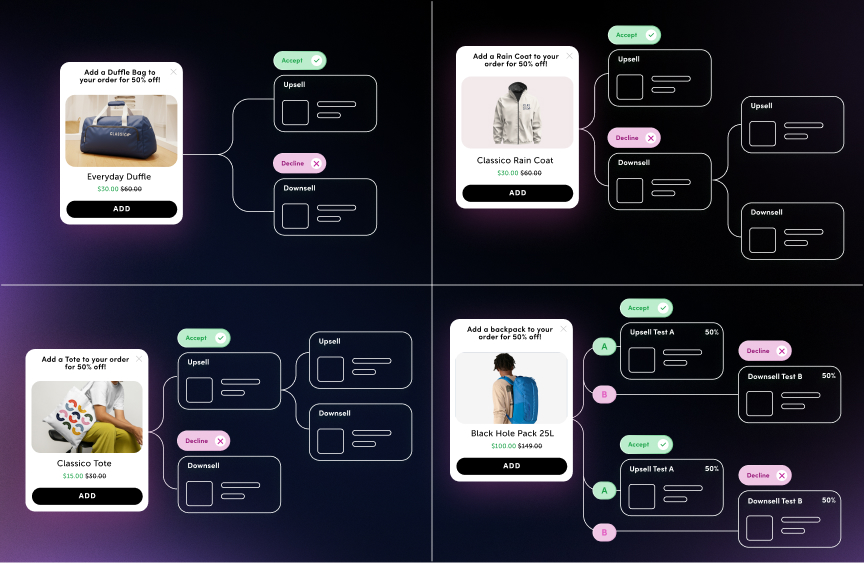
    Upsells, downsells, extra revenue

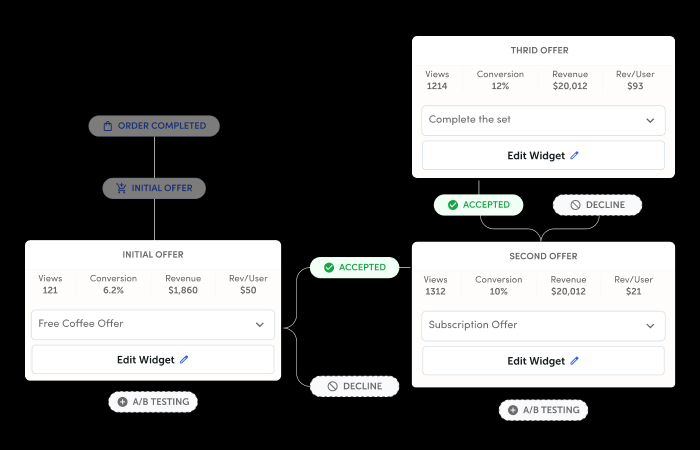
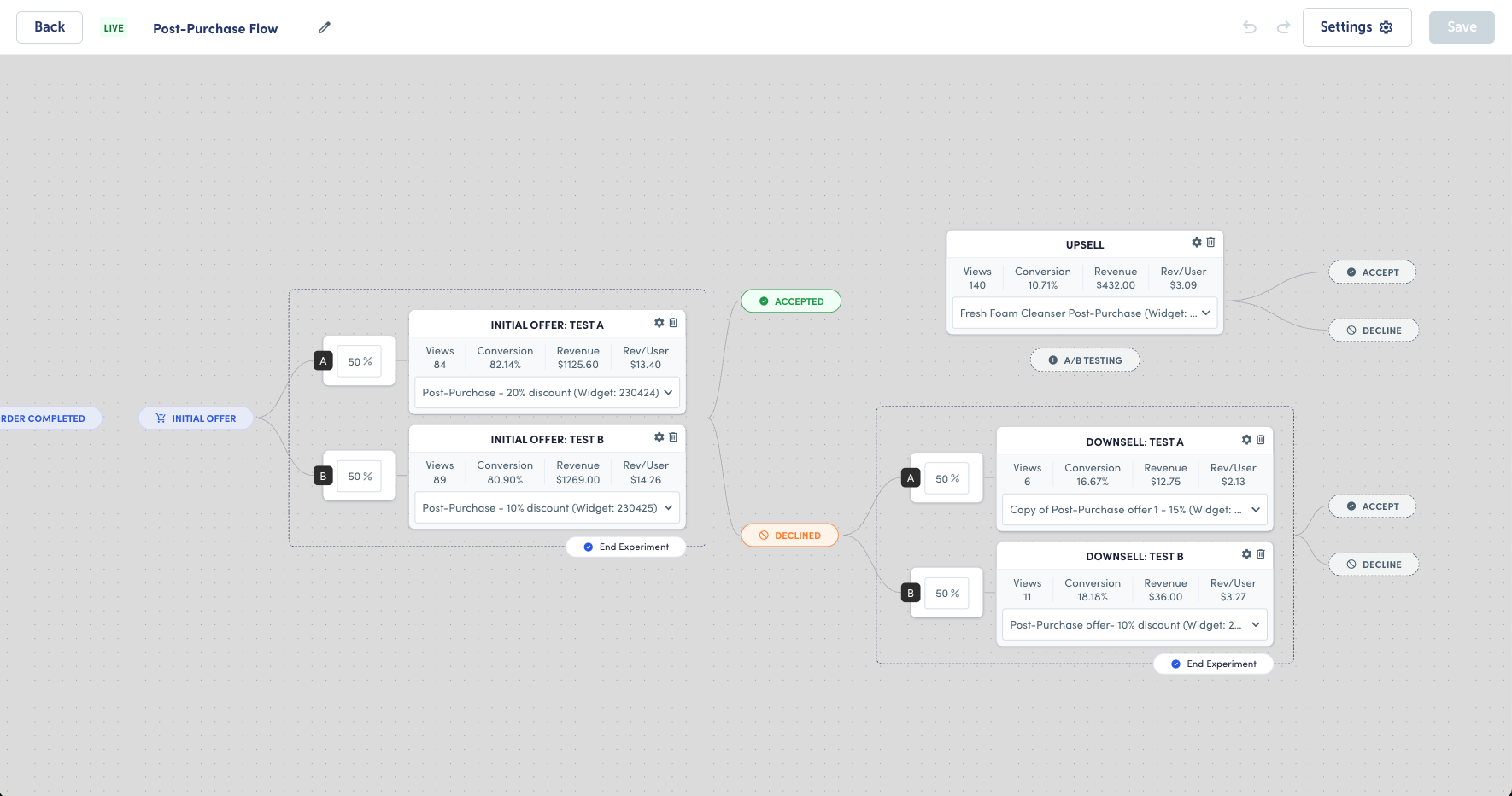
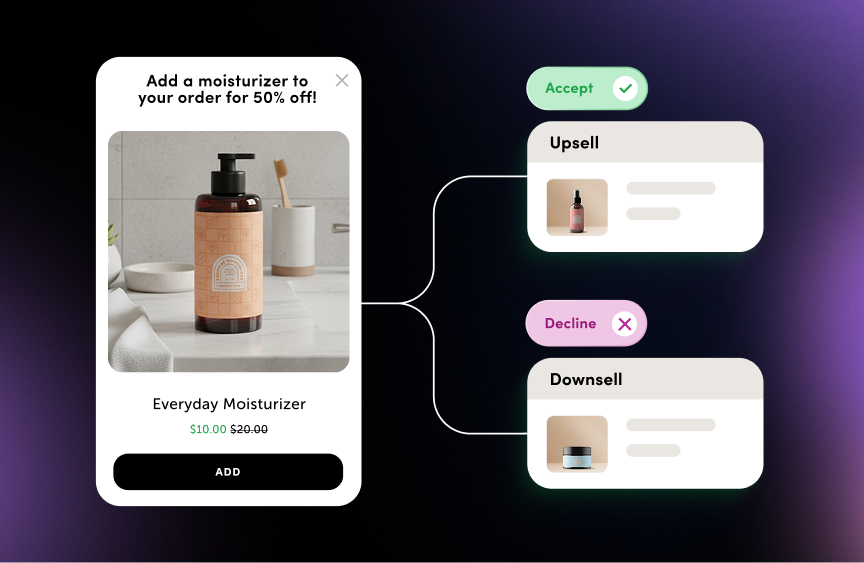
    Build multi-step flows that respond to customer behavior. If they accept an offer, offer them more. If they decline, show them something different. You control the logic, Rebuy handles the rest.

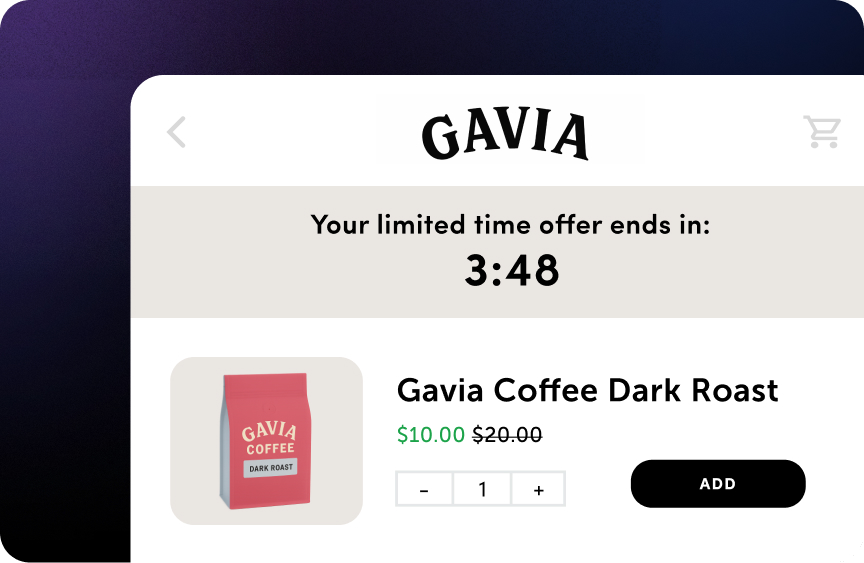
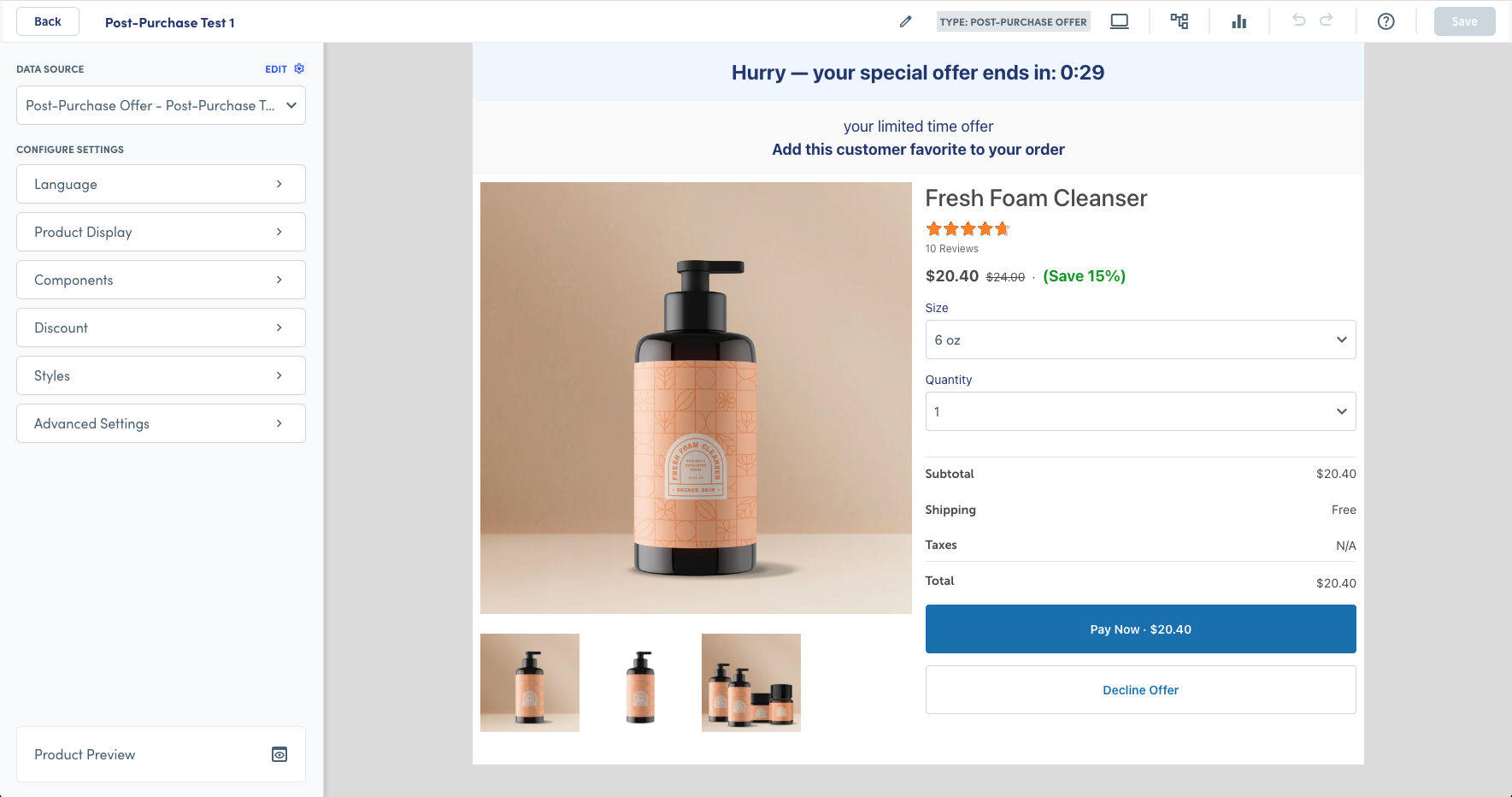
  • Post-purchase offer with a countdown timer and discounted price

    Dynamic discounts and limited-time offers

    Add urgency with countdown timers and limited-time pricing. Update or remove discounts with a single click using Rebuy's discount engine. Create scarcity that converts without the manual work.

  • Multi-step post purchase flows for Shopify

    Build multi-step flows

    Run up to 40 flows at once, each with its own upsell and downsell logic. Customers who decline see a different offer. Customers who accept can keep adding up to three offers per checkout.
Post-Purchase Offers features

Built to capture revenue after every sale

Everything you need to turn the moment after checkout into your most profitable touchpoint.

  • AI offer targeting
    Target the right customers

    AI and rules-based offer targeting

    Show offers that are relevant for each shopper. Rebuy AI uses real purchase behavior to recommend complementary products, while rules give you precise control over targeting by segment, order value, items purchased, and more.

  • Flows creation UI screenshot
    Prioritize and sequence your flows

    Up to 40 simultaneous flows

    Run multiple post-purchase strategies at once without losing control. Create up to 40 flows targeting different behaviors or order types, then prioritize them in a clear sequence. The first matching flow is shown, so every shopper gets the most relevant experience.

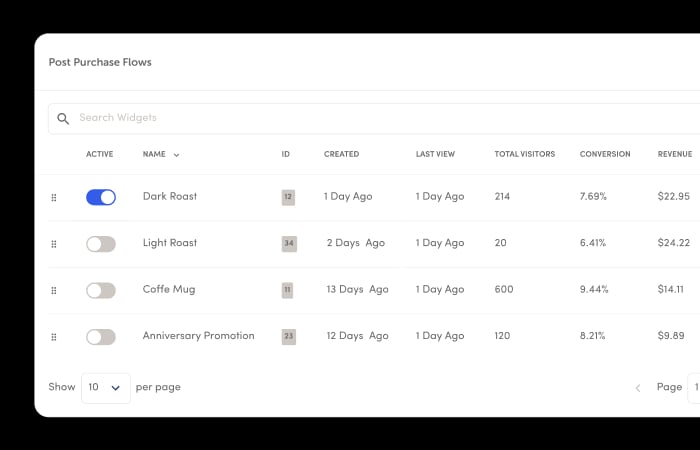
  • post-purchase-revenue-attribution
    Built-in analytics

    Revenue attribution and reporting

    Understand what’s driving performance across every offer. Track revenue per order, conversion rate, total sales, total visitors, and more. With a clear view of how shoppers engage and convert, you can build on what’s working and continuously improve your results.

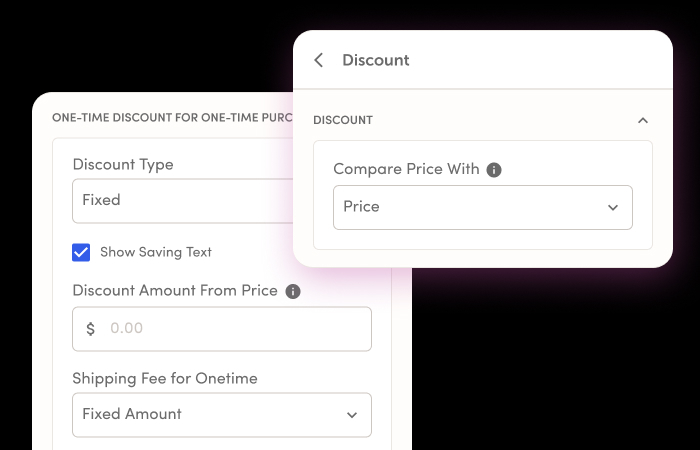
  • Discount promos UI screen
    Discount engine

    Flexible discount controls

    Adjust offers quickly without relying on developers. Apply percentage discounts or fixed amounts, and display comparison pricing in a few clicks. For subscriptions, discounts apply automatically to the first order, making it easy to present a compelling offer.

  • Shopify order tracking UI
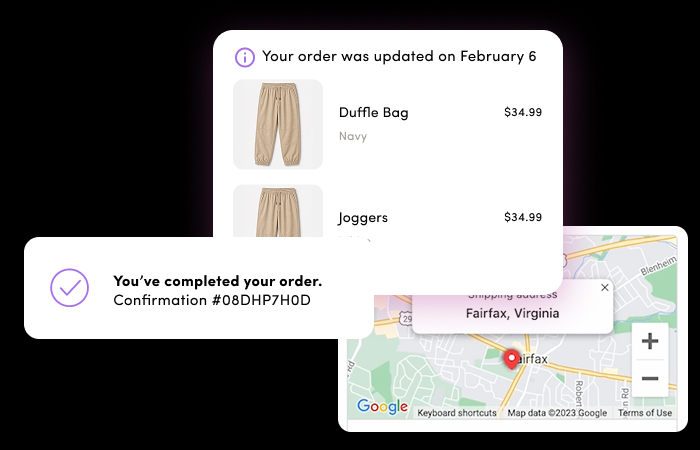
    No-code setup, no duplicate orders

    Seamless Shopify integration

    Get up and running fast, without added complexity. Rebuy integrates directly with Shopify and updates the original order when an offer is accepted. No duplicate orders, no extra checkout steps, and no need for customers to re-enter payment details.

  • Post Purchase reviews UI
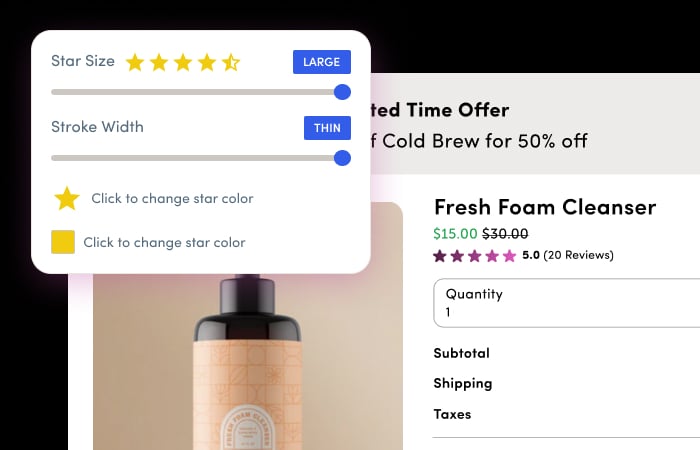
    Ratings and reviews display

    Build trust in the moment

    Reinforce every offer with social proof. Pull in star ratings from your reviews app via a native integration and display them directly on the post purchase page. You can also add testimonials, images, or supporting content below the offer to show products in action and strengthen credibility.

  • Post purchase translation UI screen
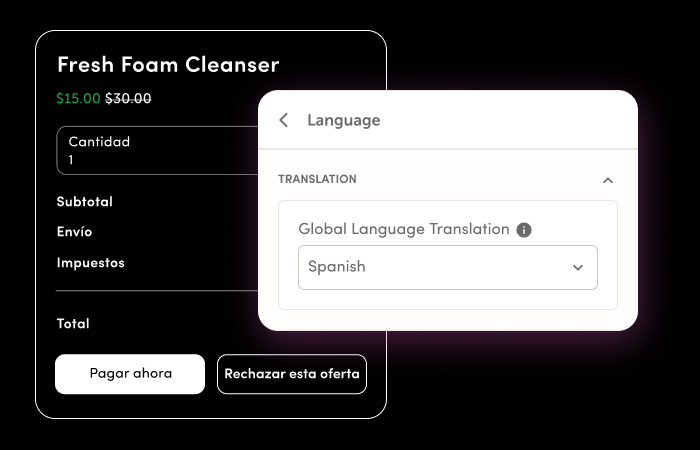
    Customizable offer display

    Localized language support

    Talk to customers in their language. Update offer copy directly in widget settings using the language selector. If you need additional support, the Rebuy team can help add new languages so your experience feels right for every audience.

  • Post-Purchase flow UI screen
    Multi-offer acceptance

    Increase order value post-purchase

    Give customers more ways to say yes. Shoppers can accept up to three post-purchase offers in a single flow, making it easy to add complementary products while intent is high. Each accepted offer builds on the last, increasing order value and driving more revenue from every purchase.

  • Post Purchase timers feature
    Flexible fulfillment timing

    Control when orders are released

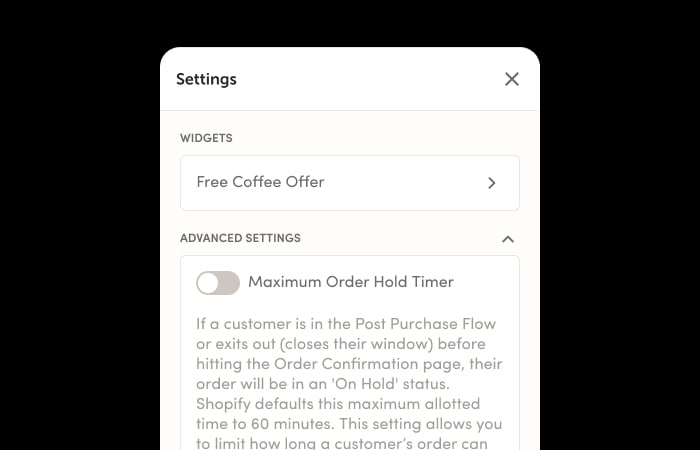
    Balance speed with flexibility. Set a hold window that determines how long an order stays open for post-purchase offers before fulfillment begins. You stay in control of timing, so you can capture additional revenue without disrupting your fulfillment workflow.
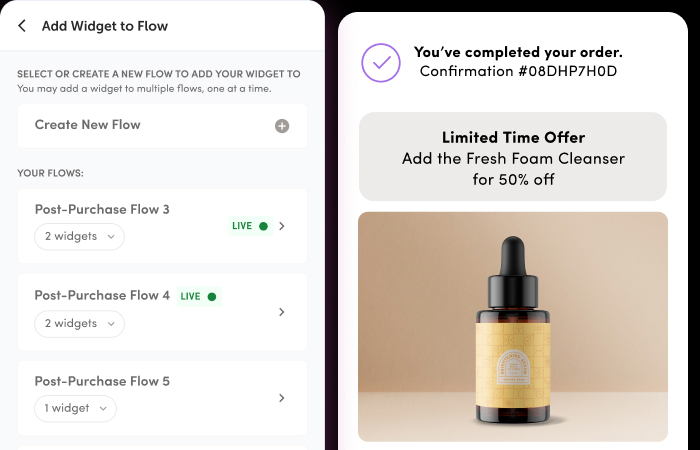
Which post-purchase offers convert best?

Small, easy-yes add-ons work best, and a real discount helps. Here are four offers to start with.

  • Complete the set

    Offer the product that finishes what they just bought, like conditioner after shampoo. The shopper isn't weighing something new, just finishing a thought.

  • Your deepest discount

    Shoppers are already in buying mode. A strong, limited-time price on seasonal or slow-moving stock is an easy yes here.

  • Explain why it matters

    Show how to get more from what they bought, or why the add-on helps. A clear reason gives shoppers something to say yes to beyond the price.

  • Reward returning customers

    Offer shoppers who've ordered before a restock of their favorites at a better price. Rebuy AI and rules use purchase history to decide who sees it.

How to add post-purchase upsells to Shopify
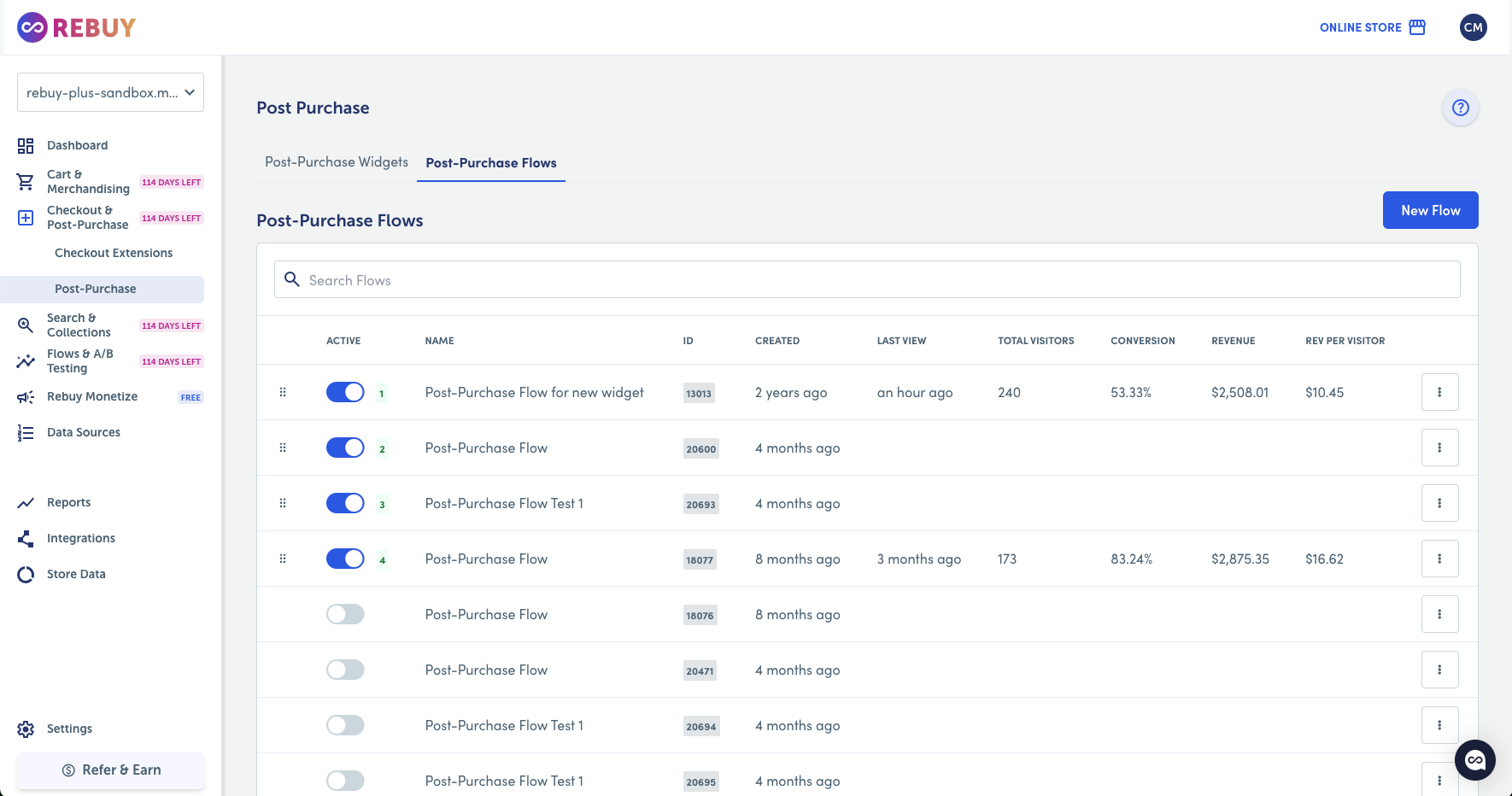
Post Purchase flows dashboard
Post Purchase offer UI
Post Purchase flows UI
  • 01 Build

    Create your post-purchase widget and customize the offer, discounts, and display settings. No code required.

  • 02 Launch

    Set up your flow, assign widgets to upsell and downsell paths, and enable Rebuy as your post-purchase provider in Shopify.

  • 03 Optimize

    A/B test different offers, track performance with built-in analytics, and let automatic winner selection boost your AOV.

See Post-Purchase Offers in action

Watch how to set up your first post-purchase offer and start turning checkouts into bigger orders.

Post-purchase offers or checkout upsells?

Both raise order value. The difference is when the offer shows and which Shopify plan you need.

  • Post-Purchase Offers

    Shows after payment and before the Thank You page. Your products, added to the same order in one click. Works on all Shopify plans.

  • Checkout Extensions

    Shows inside checkout, before the shopper pays. Upsells, add-ons, and trust content from your store. Needs Shopify Plus.

Post-Purchase Offers FAQs

  • Rebuy Post-Purchase Offers show shoppers a one-click upsell or add-on after they pay and before they reach the Thank You page. An accepted offer is added to the order they just placed, so there's no second checkout and no duplicate order. We built it for Shopify brands that want to raise order value without getting in the way of the original purchase. It works on all Shopify plans.
  • No, post-purchase offers use the payment information already on file, so customers can add to their order with a single click. Offers don't show on every order, though. Shopify won't display them when the shopper pays with a wallet or installment service such as Apple Pay, Google Pay, Amazon Pay, Klarna, Affirm, or Afterpay, or pays with a gift card. They also won't show on orders placed in a currency other than your store's default, orders with duties, orders for local delivery, or orders under $0.50. Shop Pay and credit card payments are supported. Rebuy also skips orders with no shipping address, such as orders that contain only gift cards or only digital products. When an offer doesn't show, the original order goes through as normal.

  • No, post-purchase offers appear after checkout is complete, so they never interfere with the original purchase.

  • You can run up to 40 post-purchase flows simultaneously. Flows are prioritized from top to bottom, and the first matching flow is displayed to the customer.

  • Yes! You can create multi-step flows that serve different offers based on whether a customer accepts or declines. Shopify allows up to three accepted post-purchase offers per checkout.

  • Yes. Rebuy's A/B testing lets you split traffic between different offers and automatically select a winner based on revenue or conversion rate.

  • Yes! You can offer subscription products in your post-purchase flows, including one-time discounts on the first subscription order. When the original order contains only one-time items, an accepted subscription offer is added as a separate item. A post-purchase offer can't swap a one-time item for a subscription or change an existing subscription.

    More questions? See Rebuy Answers.

  • The right post-purchase upsell app depends on how much control you want over who sees which offer. Rebuy Post-Purchase Offers is built for Shopify brands that want to personalize and test those offers. You can target offers with Rebuy AI or your own rules, build upsell and downsell steps, run up to 40 flows at once, and A/B test your offers. It works on all Shopify plans.
  • A post-purchase upsell is an offer shown to a shopper after they've paid for an order, usually an add-on or complementary product they can accept with one click. On Shopify, it appears after payment and before the Thank You page. Because the original order is already complete, the offer doesn't affect your checkout conversion rate. With Rebuy Post-Purchase Offers, an accepted offer is added to the order the shopper just placed.
  • Post-purchase offers add revenue to an order the shopper has already placed. When the original order contains only one-time items, an offer can add a subscription product through a connected subscription app, which is one way to bring in recurring revenue. We don't publish a lifetime value figure for Post-Purchase Offers. Built-in analytics show revenue, conversion rate, and revenue per visitor for each flow, so you can measure the effect on your own store.
  • You can't swap a one-time item for a subscription after checkout. A post-purchase offer adds new items to the original order and never changes what the shopper bought. What you can do is offer a subscription product after checkout when the order contains only one-time items. If the shopper accepts, the subscription is added as a separate item and the one-time item stays. If the order already has a subscription, post-purchase offers can add one-time products only. To let shoppers switch a one-time item to a subscription before they pay, use Switch to Subscription in Smart Cart.
  • Rebuy Monetize is the Rebuy product for earning revenue from post-purchase pages. It's free. It shows shoppers personalized offers from other brands on your Shopify Thank You and Order Status pages, and it pays you when shoppers click or convert. Rebuy Post-Purchase Offers is different: it shows products from your own store to your own customers right after checkout.